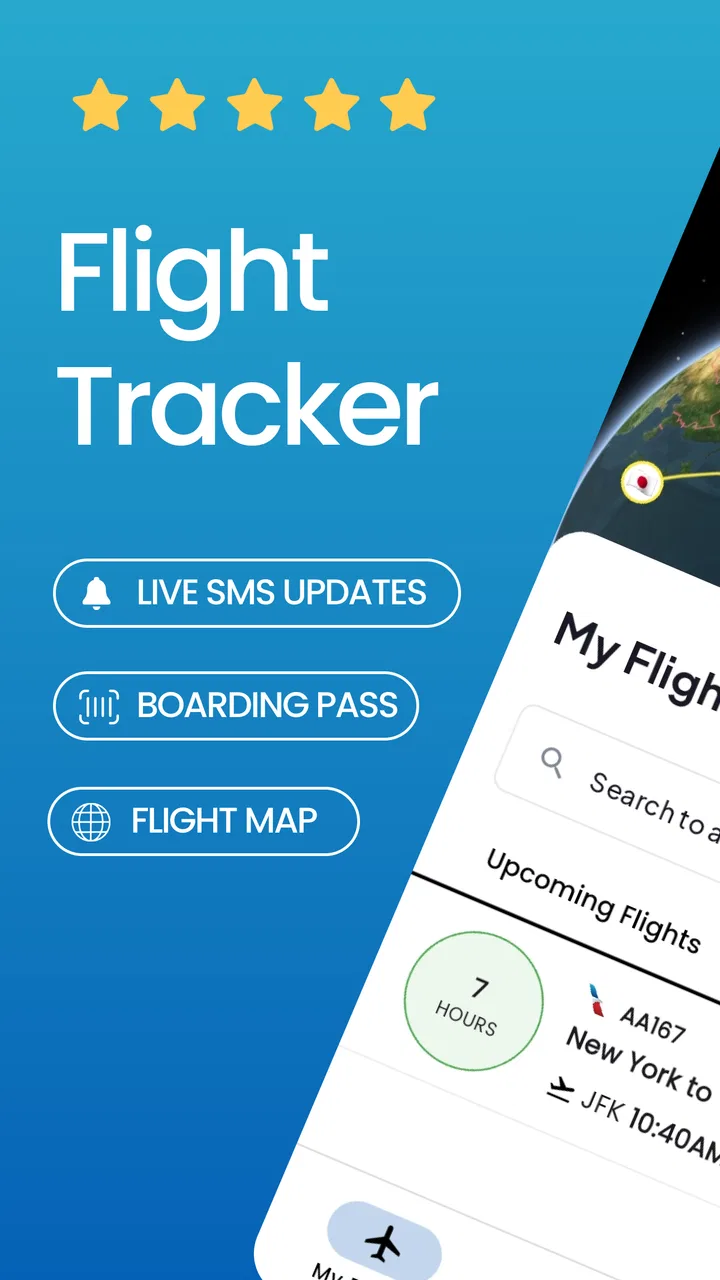
Flight Tracker - Flights25
- 4.5
- Rating
- 100.00K
- Installs
- Free
- Price

 Analysis by App-foxy
I found Flight Tracker - Flights25 most useful when I treated it as a travel companion for checking flight information at the moments when a trip becomes stressful: before leaving home, while heading to the airport, and during the wait for an update. It belongs to the Travel & Local category, is free to download, and focuses on a simple job rather than trying to become a complete booking service or travel planner.
That narrow purpose is important. A flight tracker is only valuable when the information arrives at the right time and is easy to understand. In my experience, this app is appealing because it puts flight monitoring at the center instead of surrounding it with hotel searches, loyalty programs, destination articles, or a large booking flow. The trade-off is that anyone expecting a full travel-management tool will probably need other apps alongside it.
How Flight Tracker - Flights25 feels when the network matters
The developer behind the app is Rocketech sp. z o.o., and the current version is 1.4.7. It has reached over one hundred thousand installs and holds a 4.5 average from around twelve thousand ratings, which suggests that the straightforward flight-tracking idea has found a real audience. I would still judge it by the way it fits into an actual journey, because a high store rating does not remove the practical question of whether it helps when plans change.
You May Also Like

 Blood Strike: 2.5 Anniversary
Blood Strike’s Loadouts Turn Every Drop Into a Tactical Gamble
A close look at Blood Strike’s custom loadouts: how fast access to signature weapons reshapes its battle royale rhythm, rewards preparation, and narrows the gap between fights.

 Pandora - Music & Podcasts
Pandora’s Music Is Easy to Start, but Harder to Recover
Pandora’s strength is its low-effort path from a seed to a station. Its weak spot is how much confidence it asks you to place in connection, setup, and quiet recovery.

 8 Ball Pool
8 Ball Pool Is Built on Rivalries, Rematches, and Routine
A close look at the rivalries, rematches, shared routines, and unanswered safety questions that turn a quick pool match into a persistent mobile community.

 Samsung Music
Samsung Music’s Quiet Strength Is Playing What You Already Own
Its reach comes less from spectacle than from dependable access to a personal library. That simplicity is both the app’s strongest retention engine and its ceiling.

 AccuWeather: Weather Radar
AccuWeather Review: A Quick, Clear Forecast for Everyday Decisions
For everyday plans, the best forecast is the one you can understand quickly. AccuWeather makes rain timing, radar, and local conditions easy to act on, with a few trade-offs.

 Hill Climb Racing
Why Hill Climb Racing Still Turns Crashes Into One More Run
A tiny car, a bumpy hill and one more upgrade: Hill Climb Racing keeps resurfacing because its simple chaos makes every near-miss feel personal.
More From Our News Desk



Connectivity shapes nearly every useful moment with a flight tracker. When I have a reliable mobile connection, checking a flight is quick and reassuring. When I am moving through a crowded terminal, riding in a taxi, or switching between networks, the experience depends on whether the app can obtain current information at the moment I need it. That makes this different from a static itinerary note: the value comes from fresh travel information, not merely from remembering a flight number.
I would open it before leaving for the airport to confirm that the flight I am following is still the one I expect to take. That small check can change the timing of a journey. If the schedule has shifted, finding out before starting a long trip is much better than discovering it after arriving at the terminal. The app is therefore most useful as a quick decision-making tool, not something I would stare at continuously.
There is also a psychological benefit to having one place to check. Airport websites, airline apps, email confirmations, and search results can all be useful, but moving among them takes time. A dedicated tracker gives the situation a clearer focus. I like that idea for people who fly occasionally and do not want to build every trip around an airline’s ecosystem.
At the same time, I would not confuse a tracker with the airline’s final authority. For check-in, baggage rules, seat changes, boarding documents, or a rebooking decision, the airline remains the more appropriate source. Flight Tracker - Flights25 makes sense as an extra layer for awareness. It should not be the only place I look when a missed connection or cancellation could have serious consequences.
Before leaving home: the best moment to use it
The most practical workflow is to check the flight while you still have time to react. I would look at it after packing, then again before setting off. This is more useful than opening it only once I am already at the airport, because early awareness gives me options: delaying a departure, changing a pickup time, or contacting the airline before queues become longer.
For a family trip, I can also see the value in using it as a shared reference point. One person may be arranging transport while another is handling luggage or children. A focused flight tracker can reduce the need to repeat the same search several times. However, I would still communicate important changes directly rather than assuming everyone is watching the same screen.
A less obvious tip is to make the app part of a two-stage routine. First, use it to monitor the broad status of the journey. Second, once the situation becomes urgent, verify the next action with the airline or airport. This avoids a common mistake: seeing an update and treating it as a complete instruction. A tracker can tell me that something changed, while the carrier explains what I should do about it.
In taxis, trains, and terminals
Travel rarely happens in a quiet room with perfect reception. I might be walking between a train platform and an airport bus, sitting in a taxi, or standing inside a terminal where many people are using the same network. These are the moments when a clean interface matters more than decorative extras. I want to identify the relevant flight quickly and understand whether I need to change my plan.
That is also where expectations should stay realistic. A connection can be inconsistent during a journey, and a tracker cannot make a weak signal behave like a strong one. I would avoid waiting until the last possible minute to check important information. A sensible habit is to review the flight while connected at home or at a hotel, then use later checks as confirmation rather than as the first time I seek essential details.
For travelers who move between countries, connectivity can be an even bigger consideration. Mobile data arrangements vary, and airport Wi-Fi may require a sign-in or may become unreliable when traffic is heavy. I would keep the app available, but I would also retain the airline confirmation and key travel details in a separate place. That is not a criticism unique to this app; it is a sensible safeguard for any service whose usefulness depends on current online information.
The app is available for devices running Android 7.0 or later, so it is not limited to owners of recent phones. That broad compatibility is helpful for travelers who keep an older spare handset for trips. On the other hand, older devices may make switching between an app, a browser, and an airline service less comfortable, so the best experience will still depend on the phone itself and the quality of the connection.
What happens when plans go wrong
The real test of a flight tracker is not a routine departure. It is the moment when a delay, timing change, or uncertain status creates doubt. In that situation, I value a tool that helps me notice the change without forcing me to search from scratch. The benefit is not that it solves the disruption; the benefit is that it can shorten the time between a change occurring and me realizing that I need to act.
My preferred recovery process would be simple. I would check the flight in the tracker, note what appears different, and then compare it with the airline’s own information. If the airline offers a new departure option or instructions, I would follow those rather than trying to manage the disruption entirely through a third-party tracker. Keeping this order in mind prevents confusion when several sources update at slightly different times.
One useful trade-off is convenience versus authority. A dedicated tracker may be faster for monitoring several flights or checking a journey without opening a full airline app. The airline app is usually the better place for actions that affect a booking. People who regularly face connections, standby travel, or complicated multi-airline itineraries should be especially careful: a simple overview may not explain every consequence of a change.
I would also avoid refreshing repeatedly in a panic. Constant checking can consume attention without improving the outcome, especially when the underlying information has not changed. A better approach is to check at meaningful points: before leaving, on arrival at the airport, after a displayed change, and before heading to the gate. This makes the app part of a calm process rather than another source of travel anxiety.
That workflow is one of the app’s strongest practical qualities. It encourages me to separate awareness from action. I can use the tracker to notice what deserves attention, then use the appropriate official channel to make decisions. For ordinary travelers, that division is clearer and safer than expecting one app to handle every part of a disrupted trip.
Using it without wasting mobile data or attention
Because live travel information is tied to online access, I would use Flight Tracker - Flights25 deliberately rather than leaving it open all day. A few purposeful checks are usually more useful than repeatedly opening the same screen. This is particularly sensible when traveling abroad, where mobile data may be limited or expensive depending on the plan.
My practical advice is to do the information-heavy preparation before the journey begins. Confirm the flight details while connected to a dependable network, make a note of the airline’s official contact route, and keep essential booking information accessible elsewhere. Then the tracker can be used for timely checks instead of becoming the only record of the trip.
Another non-obvious consideration is battery and attention management. Airports already involve maps, messages, boarding documents, payment apps, and camera use. A tracker should earn its place in that crowded routine by answering a specific question quickly. If I am not waiting for a change or coordinating a pickup, there is little reason to keep revisiting it. This is a small habit, but it makes the whole travel setup feel less cluttered.
I also think about privacy in a practical way. A flight can reveal when someone is traveling and where they may be heading, so I would avoid casually sharing screenshots or leaving travel details visible on a public screen. That is not a reason to avoid the app; it is simply good travel hygiene. The more convenient a tracker becomes, the more important it is to remember that itinerary information is personal.
The free price makes trying it low-risk for someone who wants a dedicated tracker without paying before understanding the workflow. There are in-app purchases ranging from $8.49 to $229.99 per item, so I would pay attention to any purchase screen and make sure I understand what an optional upgrade provides before confirming it. Travelers who only need occasional monitoring may find the free starting point sufficient, while frequent flyers should decide whether any paid option genuinely improves their routine rather than buying automatically.
Who should use it, and who should choose something else?
I would recommend it to occasional flyers, people meeting someone at an airport, families coordinating a departure, and travelers who prefer a focused monitoring tool over a large airline or booking application. It is also a reasonable fit for someone who follows more than one journey and wants a dedicated place to check flight progress without mixing that task with hotel reservations or destination planning.
It is less convincing for users who want an all-in-one travel organizer. If my priority were booking, mobile check-in, loyalty benefits, seat selection, baggage management, or direct disruption handling, I would start with the airline’s app. If I were organizing a complicated itinerary across several transport types, I would look for a broader itinerary manager. The tracker’s focused design is an advantage only when flight status is the main problem I am trying to solve.
It may also be a poor match for someone who expects every update to remain available regardless of reception. Since the experience is shaped by connectivity, I would not depend on it alone in a tunnel, on a flight, or in an area where data service is uncertain. Preparing beforehand and keeping official travel records separately is essential for anyone whose journey has high financial or timing consequences.
The Everyone content rating makes it suitable for a broad audience, including families using it to coordinate travel. That does not change the need for adult judgment around purchases or around sharing itinerary information. A simple interface can make an app approachable, but travel decisions still require checking the right source when money, documents, or missed connections are involved.
My verdict after fitting it into a real trip
Flight Tracker - Flights25 works best as a lightweight awareness tool. I would use it before leaving home, during the journey when I have a connection, and whenever I need a quick view of whether a flight still fits my plan. Its strongest quality is focus: it does not need to replace the airline app to be useful.
The main limitation is equally clear. A tracker can show me that I should pay attention, but it is not automatically the place where I complete every travel task. Network quality, mobile data, and the difference between monitoring and managing a booking all matter. Once I accept those boundaries, the app becomes easier to judge fairly.
Released on March 7, 2024, it is a relatively recent option in a familiar travel category, and the combination of a free entry point, broad Android compatibility, and a strong average rating makes it easy to try. I would recommend it to anyone who wants a dedicated flight-checking companion and is comfortable using official airline channels for final decisions. I would skip it only if I need a complete travel organizer or if I want a tool I can depend on without a network connection.
My final advice is to use it as one part of a resilient travel routine: check early, check again at important moments, conserve data when necessary, and verify major changes with the carrier. Used that way, it can reduce uncertainty without pretending to remove every complication from flying.
FAQs for Flight Tracker - Flights25
01What is Flight Tracker - Flights25 and what can I use it for?
Flight Tracker - Flights25 is designed to help travelers monitor flight information from their mobile device. After entering a flight number, route, or airport, you can typically use it to check scheduled and estimated departure or arrival times, terminal details, delays, and other journey updates. It is useful for passengers, people meeting travelers, and anyone who wants a convenient overview of a flight without repeatedly checking an airline website.
02How accurate and up to date is the flight information in Flights25?
The app’s information is generally based on data supplied by airlines, airports, and aviation information providers, so updates can depend on how quickly those sources report changes. In my experience, it is helpful for checking the latest available status, but it should not be treated as an absolute guarantee. For boarding changes, cancellations, or urgent travel decisions, always confirm details with the airline or airport directly.
03Does Flight Tracker - Flights25 require an internet connection or location access?
An internet connection is normally required to search for flights and receive current status updates, because the app needs to retrieve information from online data services. Location access may be useful for finding nearby airports or providing more relevant airport information, but it may not be essential for manually searching by flight number. You can review and adjust these permissions in your Android or iOS settings.
04Can I track flights, receive notifications, and view airport information with the app?
Flights25 may allow you to save or follow selected flights so that important changes are easier to monitor, including delays, gate information, departure updates, or arrival estimates. Depending on the version and platform, notification features may require permission and could vary by region or subscription level. Airport-related information can also be useful, but availability and detail may differ between airports.
05Is Flight Tracker - Flights25 free to download, and are there any limitations?
The application may be available as a free download, but some features can be restricted by advertisements, in-app purchases, or a premium subscription. Before installing, check the current Google Play Store or Apple App Store listing for pricing, trial conditions, supported devices, and renewal terms. Also review the privacy information, particularly if you plan to enable notifications, location services, or account-based synchronization.
Pros
- Tracks flight status
- gates
- delays
- and arrival times in one place.
- Useful airport information helps with planning before leaving home.
- Flight search makes it easy to find trips by route or flight number.
- Travel updates can reduce uncertainty during busy airport journeys.
- Clean layout allows quick access to essential flight details.
Cons
- Some features may require a paid subscription or in-app purchase.
- Live updates depend on reliable internet and airline data sources.
- Flight information can occasionally lag behind official airport displays.
- Frequent travelers may find notifications excessive without careful setup.
- Coverage and accuracy may vary for smaller airlines or regional airports.

Flight Tracker - Flights25
Gallery